
The Piano Roll, Event List and Step Sequencer
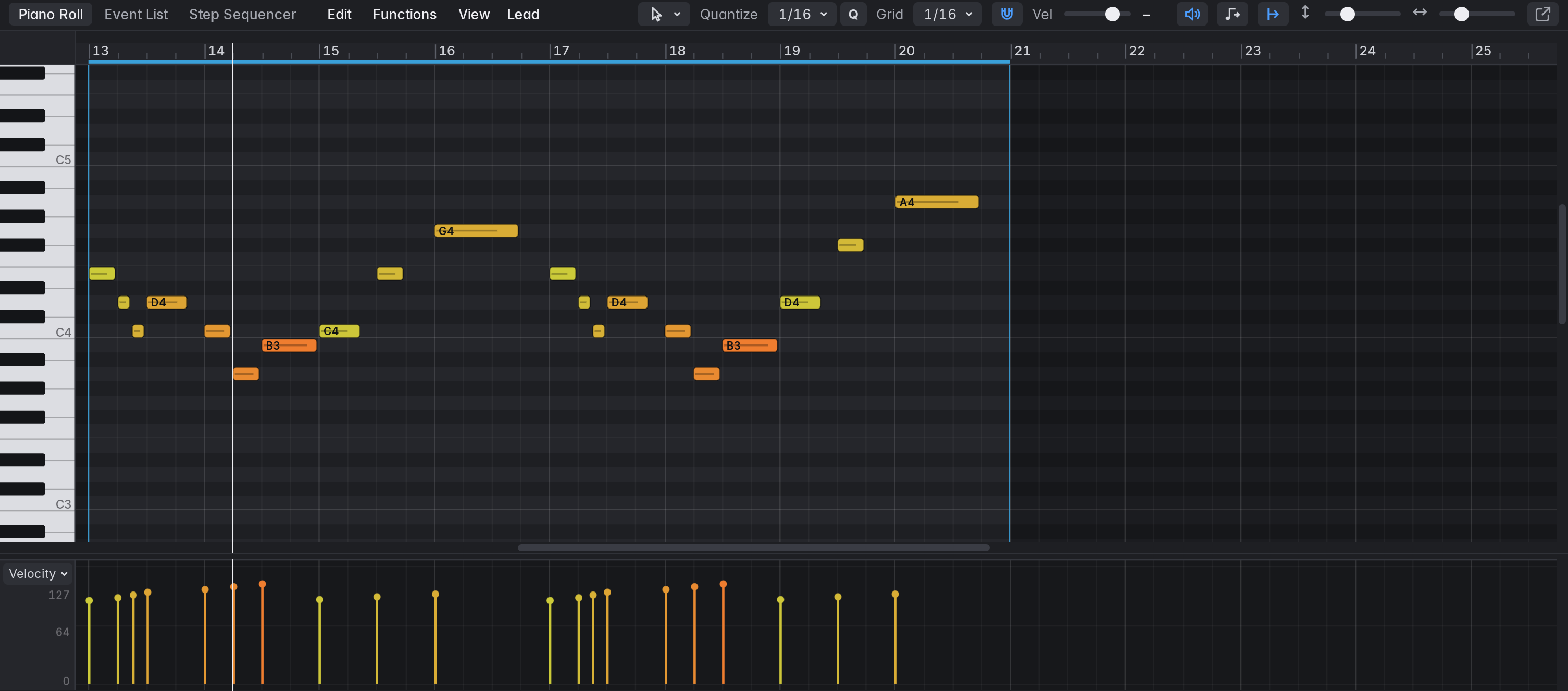
The Editors pane (E or P) follows the selection: it shows the Piano Roll for a software instrument track and the Audio Track Editor for an audio track. MIDI regions have two more editors, the Event List and the Step Sequencer (for pattern regions); the tabs at the left of the editor’s bar switch between the three. Double-clicking a region in the Tracks area opens the editor for it. The Piano Roll is modelled on Logic’s, with ideas from Ableton’s MIDI editor, Cubase’s Key Editor and FL Studio’s piano roll.
The editors’ bars fit their pane at any width and interface size. When the pane is narrow the captions (Quantize, Grid, Vel, Height, Zoom; Gain, Wave and Zoom in the Audio Track Editor; Length, Rate and Swing in the Step Sequencer) give way first, and each control keeps its tooltip; then the sliders get shorter; what still doesn’t fit moves to a second row of the bar.
In this section
Section titled “In this section”Marbble is released under the MIT licence.Source on GitHub.